


DriveCSX: Car Crash Simulator
4.63.02K Reviews
App Specs
- Version
- 0.98.2
- Updated On
- License
- Free
- Downloads
- 10,000,000+
- Developer
- Studio WW Games
- Categories
- Simulation
- Platform
- Android, iOS
Screenshots
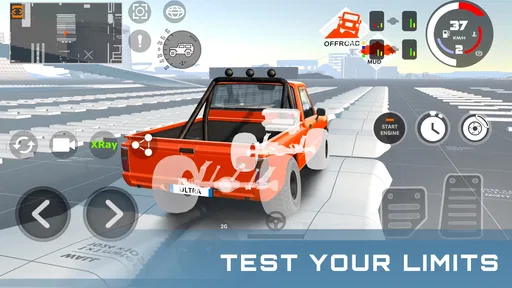
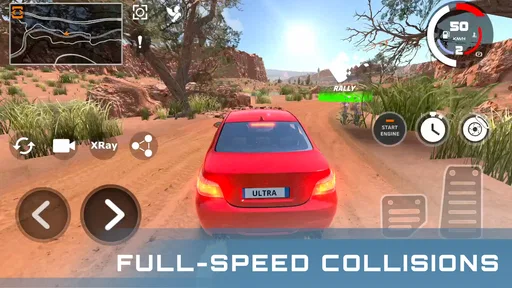
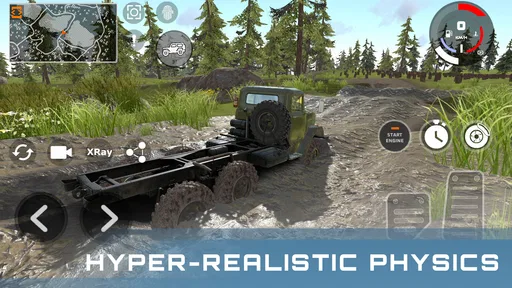
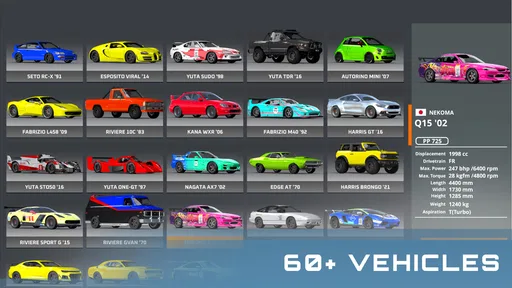
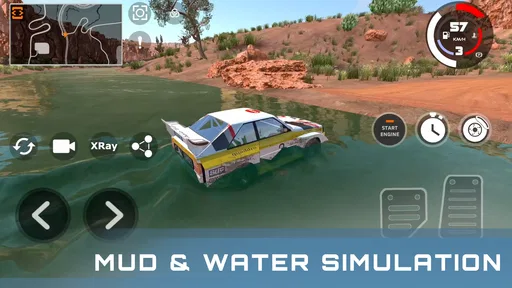
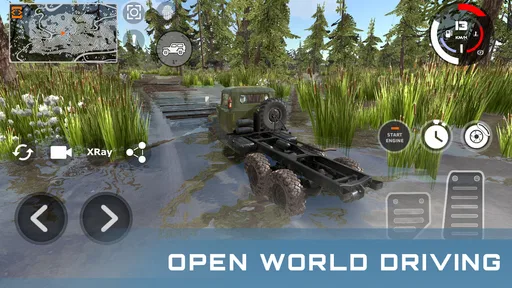
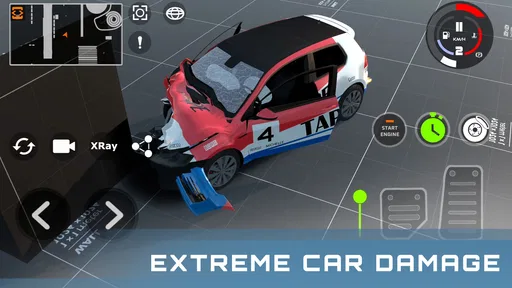
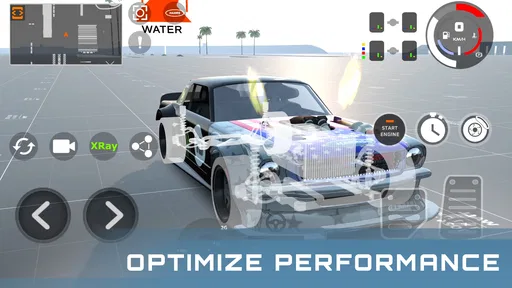
 Analysis by AppCompare
Ever wondered what it would be like to be at the wheel in a chaotic car crash simulation? Well, wonder no more! I've recently got my hands on DriveCSX: Car Crash Simulator, and let me tell you, this app is a wild ride. Whether you’re a casual gamer looking to kill some time or a car enthusiast fascinated by the mechanics of crashes, this app has something for everyone.
First Impressions and Interface
Right off the bat, the user interface of DriveCSX is surprisingly intuitive. The developers have done a fantastic job of making the controls accessible without sacrificing the complexity of the gameplay. Starting the game, you’re greeted with a sleek menu that's easy to navigate. No clutter, just straightforward options to dive right into the action.
I found the graphics to be quite impressive for an app like this. The cars are detailed, and the environments are varied enough to keep things interesting. Whether you're crashing into a pile-up on a highway or smashing through a rural fence, the visual aesthetics are spot-on.
Finding Your Way Around the Crash Sim
What I enjoy most about a crash-focused game is that the fun comes from noticing cause and effect, not simply reaching a finish line. A small change in approach can make a run feel different, so I treat each attempt as a quick experiment: choose a vehicle, try a line or angle, watch what happens, then adjust. That makes the game a good fit for short breaks when I want something hands-on rather than a long campaign to keep track of.
It also suits players who like to explore a simulation at their own pace. If you are drawn to vehicle damage and the way impacts unfold, the appeal is easy to understand. If you mainly want licensed racing, structured competition, or a realistic driving lesson, though, a conventional racing game or driving simulator is likely to be a better match. This one is about the spectacle and curiosity of crashes, not practicing everyday road behavior.
Gameplay Mechanics
The core of DriveCSX is all about simulating car crashes, and it does this exceptionally well. The game offers a variety of modes, each providing a unique twist on the classic crash simulation. From time trials to sandbox mode, there’s plenty to keep you busy.
The physics engine is where the game truly shines. It’s fascinating to see how the cars react in different crash scenarios. The attention to detail is remarkable. I found myself experimenting with different speeds and angles just to see how the crashes would play out. It’s oddly satisfying!
Worth Reading Before You Choose

EA SPORTS FC Mobile 26 Is a Bigger Football Game, but It Takes Time

Flipboard Shows What News Apps Must Do Beyond the Feed

Switching to Android Auto Means Rethinking Your Driving Routine

Google Calendar Makes a Crowded Week Easier to Manage

Ludo King Makes the Most of the Minutes Between Plans

Baby Panda World Brings Quick Play to Modern Phones, but Its Game Library Feels Busy
How I Get More from Each Run
A useful way to approach the experiments is to change one thing at a time. Keep the vehicle the same while trying a different approach, then switch the vehicle and repeat a similar attempt. It is easier to tell what influenced the result when you are not changing every variable at once. I also try not to judge a setup from a single collision: a small difference in angle can change what I see, which is part of the appeal but can make comparisons feel uneven.
For a casual session, I would pick one simple question before starting, such as whether a different approach produces a more interesting impact. That gives the play session a small goal without turning it into a grind. Sandbox play is especially suited to this kind of self-directed testing, while time trials are a better choice when I want a clearer challenge. The trade-off is that players who need a guided sequence of objectives may find open-ended experimentation less satisfying.
Customization Options
One of the coolest features of DriveCSX is the ability to customize your vehicles. You're not just limited to stock cars; the game allows you to tweak everything from the paint job to the engine performance. This adds a personal touch and lets you experiment with different setups to see how they affect the crash dynamics.
For those who love to tinker, the customization options are a playground. I spent a good chunk of time just modifying cars and then testing them out in various crash scenarios.
Choosing a Setup Without Overcomplicating It
I find it more useful to make a modest change and test it than to alter several parts of a car at once. Appearance changes are a way to make a vehicle feel like mine; performance adjustments are more interesting when I want to compare how a run develops. Keeping those intentions separate makes customization feel purposeful rather than like a menu to exhaust before the actual play begins.
There is a trade-off here: tuning is enjoyable if you like tinkering, but it can be friction for someone who wants to jump straight into a quick collision. I would not treat every adjustment as a guaranteed improvement. The fun is in trying a setup and seeing what happens, not assuming a particular change will always produce a predictable outcome.
Sound and Immersion
The audio in DriveCSX complements the gameplay perfectly. The sound of screeching tires, metal crunching, and glass shattering adds to the immersive experience. I recommend playing with headphones to fully appreciate the sound design.
While the game doesn’t have a soundtrack per se, the ambient sounds and effects are enough to keep you engaged. They’ve nailed the audio cues to match the chaos on screen.
Small Setup Checks Before Playing
When a mobile game feels awkward at first, I start with the simple checks rather than assuming something is broken. I make sure the game has finished installing and loading, close other demanding apps if the device feels busy, and try another run before deciding performance is consistently poor. A simulation with detailed vehicles and impacts can feel different from a light puzzle game, so a little patience during the first session is sensible.
If the controls do not feel comfortable, I give myself a few runs to learn their response before judging the game. I also keep the device steady and avoid changing several settings between attempts, since that makes it harder to work out what helped. These are basic troubleshooting habits, not a promise that every slowdown or control issue can be solved from within the game.
Performance and Accessibility
In terms of performance, I was pleasantly surprised by how smoothly DriveCSX runs, even on mid-tier devices. The app is optimized to ensure minimal lag, which is crucial when you’re in the middle of a high-speed crash simulation.
The game also offers various settings to cater to different device capabilities, which makes it accessible to a broader audience. Whether you’re on Android or iOS, you should have no trouble running the game smoothly.
When a Frustrating Run May Be About More Than the Game
A mobile game can stutter or respond slowly for reasons beyond its own design: a device may be under load, low on available space, or dealing with a temporary connection or system issue. I would close background apps, restart the game, and check that the device has room to operate before repeating the same test. If a problem continues across sessions, restarting the device and checking for an available game update are reasonable next steps.
I would also separate a genuine technical problem from a run that simply did not produce the result I expected. In a crash simulator, small differences in timing and approach are part of the experience. Repeating a test with one adjustment is more informative than changing cars, settings, and approach all at once. If the game still behaves erratically after those basic checks, I would avoid promising myself that a particular fix will work; the sensible move is to consult the game’s current support options.
Who Should Make Room for It?
DriveCSX is a strong pick for someone who enjoys vehicle-focused sandbox play, likes testing cause and effect, or wants a compact game to dip into without committing to a story. It can also work for a car enthusiast who is curious about simulated damage, provided they understand that it is entertainment rather than a technical training tool. A realistic everyday scenario is a few minutes of play while waiting for an appointment: choose a vehicle, try a couple of approaches, and stop when the experiment has run its course.
I would steer away from it if your priority is careful traffic rules, competitive multiplayer, a deep career progression, or a polished race against opponents. Those are different kinds of satisfaction. Compared with a standard mobile racer, this game shifts attention away from clean laps and toward impact behavior; compared with a general driving simulator, it is less about routine road navigation and more about staged collision play. That focus is its identity, but also the reason it will not suit every driver.
What to Expect Before Installing
DriveCSX is a free simulation game from Studio WW Games, with optional in-app purchases priced from $0.99 to $9.99 per item. It is rated for Everyone, and the current version is 0.96.1, with Android 7.0 as the minimum operating system. The game has a 4.7 average from around 93,000 ratings and has passed 10 million installs, which suggests that its crash-simulation niche has found a sizeable audience.
Those figures are useful context, but they do not tell me whether the style will click with you. I would decide based on the core loop: do you enjoy making a small change, seeing a different collision, and trying again? If yes, the free entry point makes it easy to judge for yourself. If you dislike repeated experiments or prefer objectives that clearly direct every session, the same loop may feel repetitive rather than relaxing.
Overall Experience
All in all, DriveCSX: Car Crash Simulator is a blast. It brings a unique concept to mobile gaming with enough depth to keep you coming back for more. The combination of realistic physics, customization options, and immersive sound design makes it a standout app in its niche.
So, if you’re up for some high-octane fun without the real-world consequences, give DriveCSX a go. You might find yourself hooked on the art of the crash!
Pros
- Realistic crash physics enhance gameplay.
- Wide variety of vehicles to choose from.
- Detailed environments and crash scenarios.
- Intuitive controls for smooth gameplay.
- Regular updates with new features.
Cons
- Requires high-performance device for best experience.
- Limited customization options for vehicles.
- In-app purchases can be expensive.
- Some levels feel repetitive over time.
- Occasional bugs affect gameplay.
FAQs for DriveCSX: Car Crash Simulator
What is the main objective of DriveCSX: Car Crash Simulator?
DriveCSX: Car Crash Simulator is designed to provide users with a realistic and engaging car crash simulation experience. The main objective is to explore different crash scenarios by driving cars in various environments and testing their responses to collisions. It's perfect for those interested in vehicle dynamics and crash physics.
Is DriveCSX: Car Crash Simulator suitable for all age groups?
While DriveCSX offers a fascinating look into car crash dynamics, it is recommended for mature audiences due to its realistic depiction of car crashes. Parents should consider the content's nature before allowing younger audiences to engage with the app, as it might not be suitable for children.
What types of vehicles and environments are available in the game?
DriveCSX provides a diverse range of vehicles, from small compact cars to large trucks, each with unique crash characteristics. The game also offers different environments like urban streets, highways, and rural areas, allowing users to test the impact of crashes in various settings and conditions.
Does DriveCSX: Car Crash Simulator require an internet connection to play?
DriveCSX is designed to be accessible both online and offline. While an internet connection enhances the experience by allowing access to updates and additional content, users can enjoy the basic features of the game without being connected, making it convenient for on-the-go play.
Are there in-app purchases available in DriveCSX: Car Crash Simulator?
Yes, DriveCSX includes optional in-app purchases. These purchases allow users to unlock additional vehicles, environments, and customization options, enhancing the overall gameplay experience. However, the core features of the game can be enjoyed without any purchases, catering to both casual players and dedicated enthusiasts.


